Icon of program: iContact

iContact for Windows

  • Free
  • 3.5
    4
  • 11.2K
  • V0
Free Download for Windows

View an ad to download for free

Import your Gmail contacts

My Gmail address book must be one of my most trusty contact lists that I have. I constantly refer to it because it's easy to use and intuitive.

Top Recommended Alternative

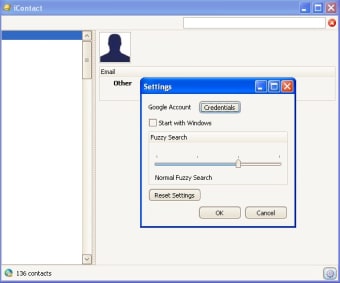
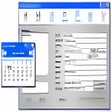
However, it's also a pain to have to log into Gmail everytime I want to access a contact. iContact works by using Gmail/Google Apps contacts list as the central database for your contacts. You can still see and edit your contacts in Gmail but iContact allows you to have instant access to your contacts whenever you need them without logging into your Google/Gmail account - great for if you are travelling or don't have access to an internet connection. The program can also integrate with Microsoft Outlook to import your contacts directly from there and add them into Gmail. It also features integration with Skype and Google Maps and allows you to send contacts to your Satnav or TomTom device which is useful for contacting people on the move. iContact also doesn't care which machine or PC you are working on - you can access your contacts on all computers without the need to synchronize them.

This is not exactly a Web 2.0 app but it's about as close as you can come without actually being one and a much more convenient way to organise your contacts.

  • Pros

    • Allows you to manage Gmail contacts more easily
  • Cons

    • Doesn't import from all e-mail clients
 0/1

App specs

  • Developer

    • Dataload
  • License

    Free

  • Latest update

  • Platform

    Windows

  • OS

    Windows XP

  • Language

    English

  • Downloads

    11.2K

  • Size

    3.68 MB

Program available in other languages


Icon of program: iContact

iContact for PC

  • Free
  • 3.5
    4
  • 11.2K
  • V0
Free Download for PC

View an ad to download for free


User reviews about iContact

Have you tried iContact? Be the first to leave your opinion!

Add review

You may also like

Alternatives to iContact

Explore Apps

Latest articles

Laws concerning the use of this software vary from country to country. We do not encourage or condone the use of this program if it is in violation of these laws.
Softonic

Is iContact safe?

100/100

Score result: Clean

This file passed a comprehensive security scan using VirusTotal technology. It is safe to download.

  • Virus free
  • Spyware free
  • Malware free
  • Verified by Security Partners

    VirusTotal logo

Scan Info

Last scan
Saturday, December 23, 2023
Scan provider
VirusTotal · Full report

File Integrity

File
iContact.msi
SHA256
f0be31cb72624913b8b291647d43074aa6b0e3dcb0c807b5704f4fd824c488c7
SHA1
7ae22bd7ed445da011235fc3c2f0fbe3e680ff34

Softonic security commitment

iContact has been thoroughly scanned by our advanced security systems and verified by industry-leading partners. This file comes from the official developer and has passed all our security checks, showing no signs of viruses, malware, or spyware. For more information, visit our Security and Trust Center

Signed in to Softonic as